Posts

SharePoint 2013 - Indexed Property Keys

Image
One of the cool features in SharePoint 2013 is the ability to index site property bag values and use them in search results page through display template. To make it work, you'll need to do the following steps Add Property Key through PowerShell (or you can do it programmatically.  I'll explain later) $web = Get-SPWeb http://test.fakesite.com $web.AllProperties["SiteContact"] = “Richard” $web.IndexedPropertyKeys.Add(“SiteContact”) $web.Update() Full or incremental crawl.  Make sure you can see the crawled property from the search service application Create Managed Property that maps to the crawled property Once the managed property is created and setup properly (i.e. searchable, queryable, ...etc), then you can use it in display template.  In the example below, I created a custom display template based on Community Portal Popular Communities template and use the SiteContact property to display Primary Contact name. To do it p...
SharePoint 2013 App Details Page Error

Image
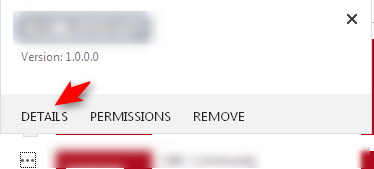
Out of no where, the app details page started throwing out error for all apps. ULS log entries System.Data.SqlClient.SqlException (0x80131904): The EXECUTE permission was denied on the object 'prc_CountAppInstanceData', database 'UsageAndHealth_Logging_DB', schema 'dbo'.     at System.Data.SqlClient.SqlConnection.OnError(SqlException exception, Boolean breakConnection, Action`1 wrapCloseInAction)     at System.Data.SqlClient.TdsParser.ThrowExceptionAndWarning(TdsParserStateObject stateObj, Boolean callerHasConnectionLock, Boolean asyncClose)     at System.Data.SqlClient.TdsParser.TryRun(RunBehavior runBehavior, SqlCommand cmdHandler, SqlDataReader dataStream, BulkCopySimpleResultSet bulkCopyHandler, TdsParserStateObject stateObj, Boolean& dataReady)     at System.Data.SqlClient.SqlDataReader.TryConsumeMetaData()     at System.Data.SqlClient.SqlDataReader.get_MetaData()     at System.Data.SqlClient.SqlCommand.FinishEx...

SharePoint 2013 Search Index Issue - Troubleshooting

Image
Recently, I'm having problem with my search.  I keep getting the following error. When I check the Search Application, I would see warning icon for the index partition and searchable items would have errors on them. In URL log, I see the following two error (Unexpected and Critical) resepectively Microsoft.Ceres.InteractionEngine.Component.FlowHandleRegistry : Exceptions occurred when evaluating the flow.  Microsoft.Ceres.Evaluation.DataModel.EvaluationException: Cannot plan query for index system SP6a8f863b8e85. Index fragment '0' has no available cells. Cell statuses: [Cell I.0.0 on node IndexComponent1: Cell status is set to 'not available' (cell out of sync or seeding)]    at Microsoft.Ceres.Evaluation.Engine.ErrorHandling.HandleExceptionRecordSetSink.DoWithTryCatch(IRecord record)    at Microsoft.Ceres.InteractionEngine.Component.FlowHandleRegistry.SubmitData(FlowExecutionInfo handle, InputData inputData, Stopwatch timer, String co...

SharePoint 2013 Unfollow Site using CSOM

The SocialFollowingManager class can be used to follow or unfollow content/site/people/tag.  To get it working with SharePoint App, you'll need to request Core (Social) permission. But that'll only work if you install the app on My Site Host. To get it working for any app, you'll need to request Tenant permission.  However, Tenant Full Control will not work.  You have to request Tenant Manage permission instead. Once you have requested, you can use the follow code to stop follow a site. private void unfollowSite(ClientContext clientContext)         {             Site siteToStopFollow = clientContext.Site;             clientContext.Load(siteToStopFollow, s => s.Url);             clientContext.ExecuteQuery();             SocialFollowingManager followMgr = new SocialFollowingManager(clientContext);       ...

SharePoint 2013 - Add Remote Event Receiver Programmatically

Below is sample code of associate a remove event receiver to a list in the host web.  This is assuming that you have already add the remote event receiver in the project. public SPRemoteEventResult ProcessEvent(SPRemoteEventProperties properties)         {             SPRemoteEventResult result = new SPRemoteEventResult();             if (properties.EventType == SPRemoteEventType.AppInstalled)             {                 using (ClientContext clientContext = TokenHelper.CreateAppEventClientContext(properties, false))                 {                     if (clientContext != null)                     {                       ...

SharePoint 2013 Features Information List

I find this information is so useful.  I used to get my information from, http://blogs.msdn.com/b/razi/archive/2013/10/28/listing-all-sharepoint-2013-features-including-name-title-scope-id-and-description.aspx. But in case the site is down later, I retrieve them using server code (SPFeatureDefinition) on SharePoint 2013 environment.  You can get the feature ID and description below. There is some more information is you're interested. SharePoint Server 2013 Features Display Name (Title) Scope ID Description PublishingStapling(Publishing Features Stapling) Farm 001f4bd7-746d-403b-aa09-a6cc43de7942 Staple Publishing features SiteStatusBar(Site status bar) Farm 001f4bd7-746d-403b-aa09-a6cc43de7999 Creates a Microsoft OneNote 2010 notebook in the Shared Documents library and places a link to it on the Quick Launch. This feature requires a properly configured WOPI application server to create OneNote 2010 notebooks. BasicWebParts(Basic Web Parts) Site 0...